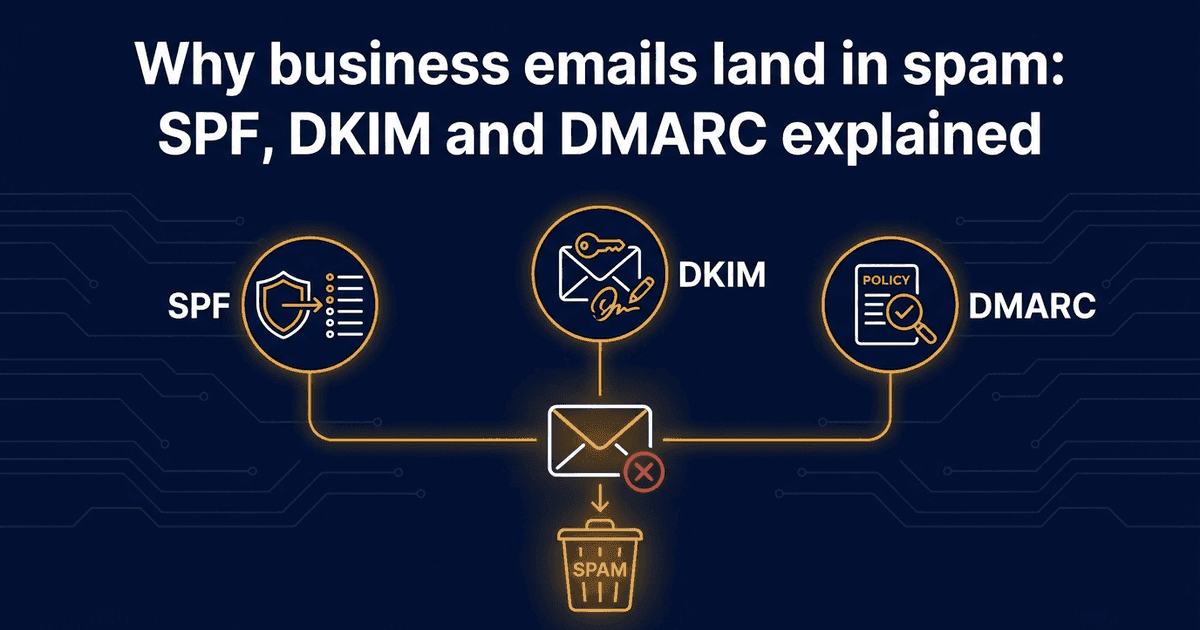
Why business emails land in spam: SPF, DKIM and DMARC explained
You send a quote. The customer says it never arrived. A week later you find out it was sitting in their spam folder, or that it never reached them at all. It is a common worry for owners, and it is worth knowing what the usual technical fixes are, so you can ask the right person to check them.
This article explains three terms you will hear: SPF, DKIM and DMARC. You do not need to set them up yourself. You need to know what to ask for.
Why receivers are careful with email
Anyone can type your business name or domain into the "from" line of an email. Receiving mail systems know this, so they look for evidence that a message really comes from the domain it claims. SPF, DKIM and DMARC are three ways of providing that evidence. The UK's National Cyber Security Centre (NCSC) presents them as ways to make it hard for fake emails to be sent from your domain.
They are set up in your domain's DNS settings, which is the public record that says how your domain works. That is usually something your web host, domain provider or IT person controls.
SPF: who is allowed to send for you
The NCSC describes it this way: "Sender Policy Framework (SPF) allows you to publish IP addresses which should be trusted for your domain."
In plain words, SPF is a published list of the servers allowed to send email on behalf of your domain. If your quotes go out through your email provider, your invoicing software and a newsletter tool, each of those may need to be on the list. If one is missing, mail from it may look suspicious to the receiver.
DKIM: a signature on each message
The NCSC says: "Domain Keys Identified Mail (DKIM) allows you to cryptographically sign email you send to show it's from your domain."
Think of it as a tamper-evident seal. Your email system adds a signature to each outgoing message. The receiving server checks that signature against information published in your DNS. If the two match, that is evidence the message came from your domain. Google's guidance for Workspace administrators explains how DKIM signing works and how to turn it on.
DMARC: what to do if the checks fail
DMARC sits on top of the other two. It lets you set a policy for how receiving servers should handle mail that fails the SPF and DKIM checks. It also produces reports on how your mail is being handled, which helps your IT person spot a sender they had forgotten about.
Google recommends that you set up SPF and DMARC as well as DKIM, so the three are best thought of as a set rather than alternatives.
What Gmail expects from senders
Google's rules are worth knowing because so many customers use Gmail. According to Google's guidance:
- Anyone sending email to personal Gmail accounts must set up email authentication. All senders need SPF or DKIM.
- Bulk senders, meaning those sending more than 5,000 messages a day to Gmail, need all three: SPF, DKIM and DMARC. A DMARC policy that only monitors is enough. They must also keep their spam rate in Google's Postmaster Tools below 0.30%, and offer one-click unsubscribe on marketing mail. These rules apply from 1 February 2024.
Most small businesses sending quotes and replies are well below that volume, so the bulk-sender rules are unlikely to apply to you. The basic point still does: if you send to Gmail users, authentication is expected.
What this does not promise
Setting up SPF, DKIM and DMARC is about proving who you are and about delivery. It does not guarantee that your email will stay out of the spam folder. Receivers weigh many things, and authentication is one of them. Treat it as a sensible foundation rather than a cure.
What to ask your web or IT person
You can hand this list to whoever looks after your domain:
- 1Is SPF set up for our domain, and does it include every service that sends email for us, such as our email provider, invoicing tool and newsletter tool?
- 2Is DKIM turned on for our email provider?
- 3Do we have a DMARC record? If not, can we start with a monitoring-only policy and read the reports?
- 4Can you send a test message to a personal Gmail account and confirm it passes the checks?
- 5Who will review the DMARC reports, and how often?
If you use Google Workspace, Google's own help page for setting up DKIM is a good starting point for your administrator.
Where to start
Ask for the five checks above, one at a time. Start with SPF and DKIM, then add DMARC in monitoring mode. If you would like help with email setup or with tools that automate follow-up, get in touch and we can talk it through.
Continue Reading
Discover more insights and stories